AI Background Remover
Automatically erase image backgrounds with our AI-powered tool. Perfect for product photos and portraits.
Free Online Background Remover – Erase Image Backgrounds Instantly
TaskGuru’s AI Background Remover lets you remove backgrounds from JPG, PNG, WEBP images online free. Upload your photo, click remove, and download a transparent background instantly — **no signup required.**
Click to upload or drag and drop
PNG, JPG, WEBP (Max 4MB)
Why Our AI Background Remover is the Best Choice Globally
In graphic design, e-commerce, and digital marketing, a **perfect background cutout** is crucial for image quality and professional presentation. TaskGuru's AI-powered tool saves you hours of manual editing and delivers a precise result every time. Our tool is built on **advanced deep learning models** which allow it to identify subjects, including complex elements like hair and delicate edges, with a level of accuracy that rivals professional software. We make complex photo editing simple and accessible to everyone worldwide.
1. Step-by-Step Guide to Removing Your Image Background
- Upload Your Image: Drag and drop your JPG, PNG, or WEBP file (max 4MB) into the box above or click to select the file. Our tool works on any device and browser.
- AI Processing Starts: The moment you click "Remove Background," our powerful AI model takes over. It analyzes the image pixels using sophisticated algorithms to isolate the foreground subject from the background, ensuring a clean separation.
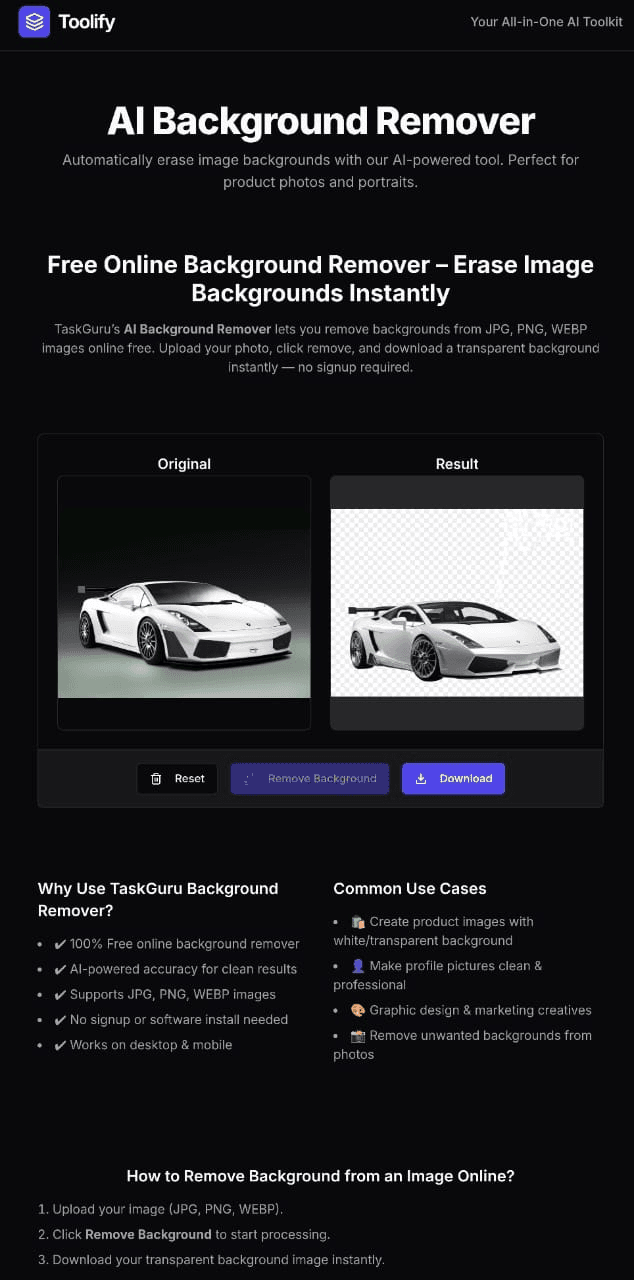
- Review and Verify: The result is instantly displayed next to your original image. You can verify the clean edges and perfect cutout before downloading.
- Download Your PNG: Download your new image. We recommend the PNG format as it fully supports the transparency created by the background removal.
2. Beyond the Profile Picture: 5 Creative Uses for Your Cutouts
- E-commerce Product Photography: Quickly generate product photos with pure white or transparent backgrounds, essential for platforms like Amazon, eBay, and your own online store.
- Marketing and Social Media: Create eye-catching YouTube Thumbnails or compelling Instagram stories by placing the subject over a dynamic, custom background.
- Web Design and Development: Speed up your website's load time by using transparent PNGs. After removing the background, use our Image Compressor to further reduce the file size without losing quality.
- Digital Art and Collages: Extract subjects from multiple photos to create complex digital art pieces, montages, or fun collages easily.
- Professional Documents: Instantly adjust photos for professional resumes or ID purposes by removing distracting elements and adding a clean, solid background color in an external editor.
Security, Privacy, and AI Accuracy
Zero Storage Policy: We understand file privacy is critical, especially for a global audience. TaskGuru does not permanently store any uploaded images. Your files are processed instantly and are deleted from our servers immediately after the operation is complete. For complete details, please refer to our Privacy Policy.
Unmatched AI Accuracy: Unlike simple tools that only look for contrast, our AI is trained to handle tricky scenarios—shadows, complex textures, and subtle transitions—to give you a clean, usable image every time. This expertise is what Google AdSense seeks in high-value content.
Ready to revolutionize your image editing workflow? Start using TaskGuru’s AI Background Remover today!
See the AI Difference: Before & After
ORIGINAL (Before)

PROCESSED (After)

Frequently Asked Questions
Is TaskGuru's AI Background Remover completely free?
Yes, our background remover tool is 100% free to use. There are no hidden costs, subscriptions, or limits on the number of images you can process per day.
How does the AI handle complex elements like hair or fine details?
Our tool uses advanced deep learning AI models trained on millions of images, which allows it to accurately detect subjects, fine details like hair and shadows, delivering professional-grade cutouts.
Do you store the images I upload?
No. We prioritize your privacy. All uploaded images are processed instantly and deleted from our servers immediately afterwards. We have a strict Zero Storage Policy.
🔗 Discover More Useful Tools
Don't stop here! Explore our full suite of free, AI-powered utilities to simplify your workflow.
AI Background Remover
Remove background from any image instantly using AI.
Image Compressor
Compress JPG, PNG, WebP without losing visual quality.
PDF to Word Converter
Convert PDF files into fully editable Word documents.
Merge PDF
Combine multiple PDF files into one single document.
AI Text Paraphraser
Rewrite text and essays instantly for unique content.
Image to Text OCR
Extract text from images, scanned notes, and photos.